Free Government Phone in Arizona: Lifeline Eligibility, Providers & How to Apply
Last updated: June 5, 2026
Arizona residents with low income or qualifying benefits may be eligible for Lifeline, a federal program that helps reduce the monthly cost of phone or internet service. Some participating providers may offer no-cost service, a SIM card, or a phone, but approval, coverage, device type, iPhone availability, Android availability, shipping, activation, and plan features depend on eligibility, ZIP code, provider rules, and current inventory. ApplyFreePhone.com is an independent informational website and is not a government agency, the FCC, USAC, Lifeline, the National Verifier, the Arizona Corporation Commission, or a phone provider.
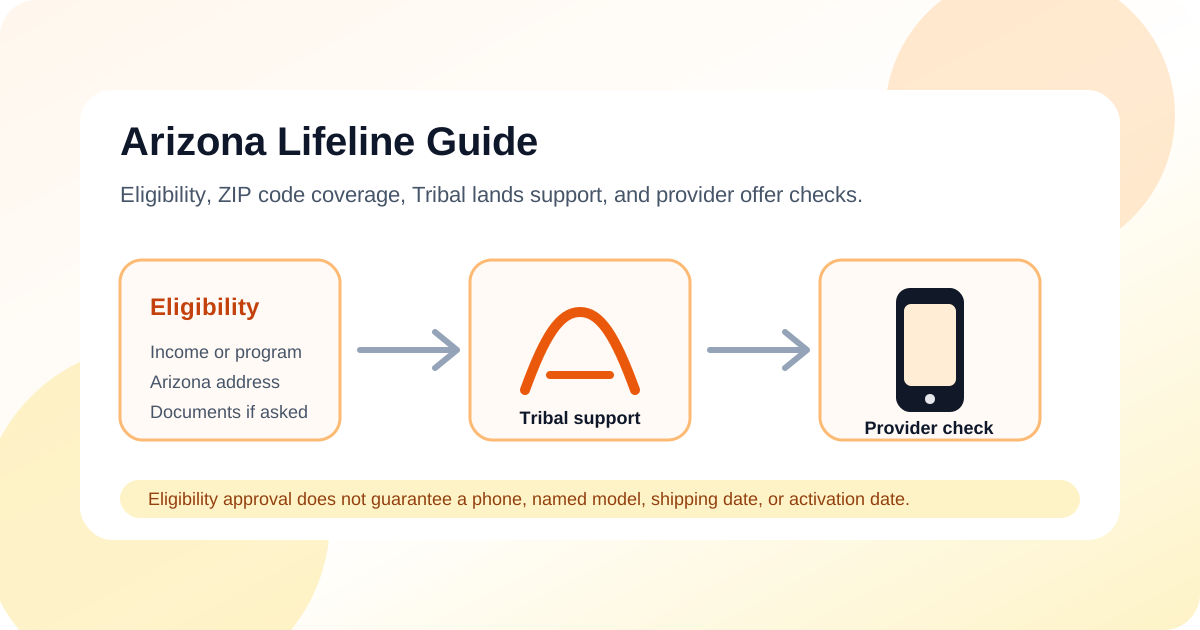
Quick Answer for Arizona Residents
- Lifeline can help eligible Arizona households lower the cost of phone or internet service.
- Eligibility is generally based on qualifying income or participation in an approved assistance program.
- Applicants usually complete eligibility verification through the National Verifier or a participating provider.
- Provider availability must be checked using the applicant's exact Arizona ZIP code.
- Eligibility approval does not guarantee a free phone, iPhone, Android device, shipping, or activation.
About the Lifeline Program in Arizona
Lifeline is a federal benefit that can reduce the monthly cost of eligible phone, internet, or bundled service. Some participating wireless providers may advertise no-cost service or a phone for eligible customers, but those offers depend on the provider, ZIP code, plan terms, and current device inventory.
Arizona residents in Phoenix, Tucson, Mesa, Chandler, Scottsdale, Glendale, Gilbert, Tempe, Peoria, Flagstaff, Yuma, and rural communities must still check coverage using their exact ZIP code. A statewide provider listing does not guarantee service at every Arizona address, and rural and Tribal-land coverage may differ significantly by provider.
Review how the Lifeline program works, Lifeline eligibility requirements, and the National Verifier application guide before applying.
Who May Qualify for Lifeline in Arizona?
Arizona residents may qualify through household income or participation in an approved assistance program. Meeting an eligibility category does not guarantee provider enrollment, phone availability, or approval of incomplete applications.
- AHCCCS or Medicaid
- Supplemental Nutrition Assistance Program (SNAP)
- Supplemental Security Income (SSI)
- Federal Public Housing Assistance, including Section 8
- Veterans Pension or Survivors Pension Benefit
- Qualifying Tribal assistance programs for eligible residents on Tribal lands
2026 Lifeline Income Guideline Examples for Arizona
The standard Lifeline income threshold is generally based on 135% of the Federal Poverty Guidelines.
| Household size | 135% annual income guideline |
|---|---|
| 1 | $21,546 |
| 2 | $29,214 |
| 3 | $36,882 |
| 4 | $44,550 |
| 5 | $52,218 |
| 6 | $59,886 |
| 7 | $67,554 |
| 8 | $75,222 |
These figures are 2026 examples and may change. Applicants should confirm the current figure through official Lifeline or Arizona consumer resources before applying.
Enhanced Lifeline Support on Tribal Lands
Eligible residents living on qualifying Tribal lands may receive an enhanced Lifeline benefit. Tribal eligibility programs and benefit amounts must be verified through official Lifeline resources. Enhanced support does not guarantee a free phone or a particular provider.
How to Apply in Arizona
- Check whether the household may qualify through income or an approved assistance program.
- Gather identity, Arizona address, income, or program-participation documents.
- Complete eligibility verification through the National Verifier or a participating Lifeline provider.
- Compare providers that serve the applicant's exact Arizona ZIP code.
- Review whether the current offer includes discounted service, no-cost service, a SIM card, BYOD support, or a phone.
- Review all possible shipping, activation, replacement-device, and optional-service charges.
- Submit requested documents and monitor the application status.
- Activate service and complete future recertification when required.
Application review, provider enrollment, shipping, and activation times vary depending on document verification, provider processing, inventory, and the applicant's location. See how to apply for Lifeline service for more detail.
Documents Arizona Applicants May Need
- Government-issued identification
- Proof of current Arizona residential address
- Proof of qualifying program participation
- Proof of household income when applying through income
- Tribal-program documentation when applicable
- Clear, readable, current documents that match the applicant's legal name and application details
Lifeline Providers That May Serve Arizona
Provider participation, coverage, plan features, and phone offers can change. The providers below may serve Arizona or parts of Arizona, but users must verify current Lifeline participation and coverage for their exact ZIP code before applying.
These names are examples to verify, not a complete list or a guarantee of service. Use our compare Lifeline providers guide and view other state Lifeline guides page for additional context.
What to Check Before Choosing an Arizona Lifeline Provider
| What to check | Why it matters |
|---|---|
| ZIP-code coverage | A provider may serve Arizona but not the applicant's exact address. |
| Current Lifeline participation | Provider participation can change. |
| Phone, SIM, or BYOD offer | Not every provider includes a device. |
| Device inventory | Specific Android phones and iPhones are not guaranteed. |
| Plan features | Talk, text, data, hotspot, and international options vary. |
| Possible charges | Confirm shipping, activation, replacement-device, and optional-service costs. |
| Customer support | Save the provider's official support information. |
Lifeline Approval vs a Provider Phone Offer
| Step | What it means | What it does not guarantee |
|---|---|---|
| Lifeline eligibility approval | The household may qualify for the Lifeline benefit. | A phone or specific device. |
| Provider enrollment | A provider confirms service availability and account requirements. | Service from every Arizona provider. |
| Phone, SIM, or BYOD offer | The provider explains the current available offer. | A free iPhone, Android phone, or named model. |
| Shipping and activation | The provider completes fulfillment and service setup. | A fixed delivery or activation date. |
| Annual recertification | The household confirms continued eligibility when required. | Permanent service without future review. |
Device Availability in Arizona
- Android phones may be more common in provider device offers, but brand and model are not guaranteed.
- Do not expect Samsung, Motorola, Alcatel, or any specific brand unless the provider currently confirms it.
- iPhones are not guaranteed and may be unavailable entirely.
- BYOD or SIM-only service may be suitable for users who already own a compatible phone.
- Compatibility, unlocking, eSIM/SIM support, and network coverage must be confirmed directly with the provider.
Review Android phone options and compare phone and service options before choosing an offer.
Common Mistakes to Avoid in Arizona
- Assuming eligibility approval guarantees a phone.
- Applying before checking ZIP-code coverage.
- Expecting a particular iPhone or Android model.
- Uploading blurry, expired, cropped, or mismatched documents.
- Applying when another member of the household already receives Lifeline.
- Using unofficial application pages.
- Ignoring possible provider-specific charges.
- Failing to complete recertification or required service usage.
Scam Awareness for Arizona Residents
Protect your information
- Applying for Lifeline eligibility should not require paying an application fee.
- Providers may have certain disclosed charges, so review provider terms rather than assuming every part of service or fulfillment is free.
- Do not trust websites promising guaranteed approval, guaranteed iPhones, or instant delivery.
- Do not upload SSN, AHCCCS, SNAP, income, Tribal, or identity documents to suspicious websites.
- Confirm providers and application pages through official Lifeline or verified provider resources.
- ApplyFreePhone.com does not collect Lifeline applications, eligibility documents, or personal application information.
Read how to avoid Lifeline and free-phone scams before sharing personal information.
Recertification in Arizona
Some subscribers may be automatically recertified, while others may be asked to provide information. Keep contact information current and respond to official notices before the stated deadline.
After You Are Approved
- Review the approval or document-request notice.
- Complete enrollment with a provider serving the applicant's ZIP code.
- Confirm whether the offer is service-only, SIM-only, BYOD, discounted service, or includes a phone.
- Review any disclosed provider charges and plan conditions.
- Complete activation using the provider's instructions.
- Keep account and contact information current.
- Use the service as required and complete recertification when requested.