Free Government Phone in Texas: Lifeline Eligibility, Providers & How to Apply
Last updated: June 4, 2026
Texas residents with low income or qualifying benefits may be eligible for Lifeline, a federal program that lowers the monthly cost of phone or internet service. Some participating wireless providers may offer no-cost service or a phone, but approval, coverage, phone type, iPhone availability, Android availability, shipping, and activation depend on eligibility, ZIP code, provider rules, and current inventory. Texas residents may be directed to the Texas Lifeline application process when applying. ApplyFreePhone.com is an independent informational website and is not a government agency, the FCC, USAC, Lifeline, the National Verifier, Texas Lifeline, the Public Utility Commission of Texas, or a phone provider.
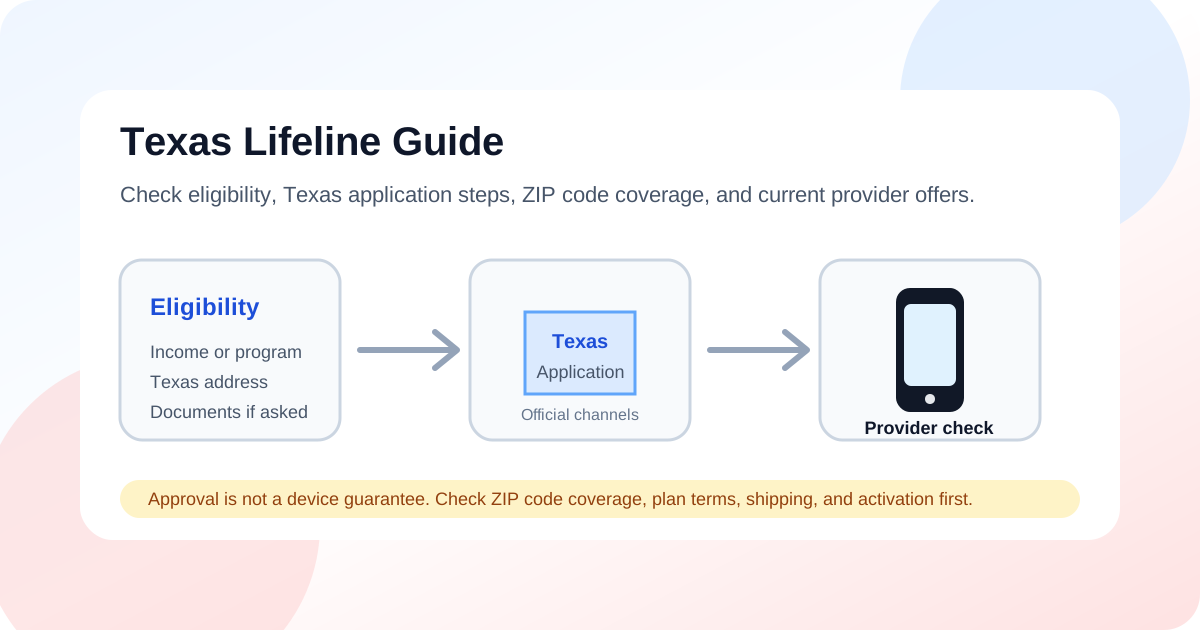
Quick Answer for Texas Residents
- Lifeline can help eligible Texas households lower the cost of phone or internet service.
- Eligibility is usually based on income or participation in a qualifying assistance program.
- Texas residents may need to use the Texas Lifeline application process.
- You still need a provider that serves your ZIP code.
- A free phone, iPhone, Android device, shipping, activation, and specific plan features are not guaranteed.
About the Lifeline Program in Texas
Texas is home to large communities including Houston, San Antonio, Dallas, Austin, Fort Worth, El Paso, Arlington, Corpus Christi, Plano, Lubbock, and many rural areas. Lifeline is a federal benefit that can reduce the monthly cost of qualifying phone, internet, or bundled service.
Some Texas wireless providers may advertise no-cost service or a phone for eligible customers, but those offers depend on provider rules, ZIP code, plan availability, and device inventory. Texas residents should confirm provider availability by exact ZIP code before submitting personal information or choosing a plan.
Start with our Lifeline program overview, eligibility guide, and National Verifier application guide if you need to understand the federal rules before applying.
Who May Qualify for Lifeline in Texas?
Texas residents may qualify through income or by participating in certain qualifying assistance programs. Lifeline is generally limited to one discount per household, and approval is not a device guarantee.
Income-Based Eligibility
Your household may qualify if income meets the current Lifeline guideline. Texas application screens may show both federal and state-related income references, so confirm the current requirement before applying.
Program-Based Eligibility
If you or someone in your household participates in one of the following programs, you may qualify for Lifeline without using the income path:
- Medicaid
- Supplemental Nutrition Assistance Program (SNAP)
- Supplemental Security Income (SSI)
- Federal Public Housing Assistance
- Veterans Pension or Survivors Pension Benefit
- Eligible Tribal assistance programs, if applicable
2026 Texas Lifeline Income Guideline Examples
| Household size | 135% annual income guideline |
|---|---|
| 1 | $21,546 |
| 2 | $29,214 |
| 3 | $36,882 |
| 4 | $44,550 |
| 5 | $52,218 |
| 6 | $59,886 |
| 7 | $67,554 |
| 8 | $75,222 |
These are 2026 examples for the federal 135% guideline used for standard Lifeline eligibility. Texas application screens may show both federal and state-related income references, so applicants should confirm the current requirement through official Texas Lifeline or Lifeline Support resources before applying.
How to Apply in Texas
The application process for Texas residents may involve the Texas Lifeline application process, Lifeline Support, and provider enrollment. Use our application guide for more background before submitting information.
- Check whether you qualify by income or program participation.
- Gather documents showing identity, Texas residential address, program participation, or income.
- Start through the Texas Lifeline application process or a participating Lifeline provider that serves Texas.
- Choose a provider that serves your exact Texas ZIP code.
- Review the provider's current phone, SIM, plan, shipping, activation, and support details.
- Respond quickly if the application asks for more information.
- Activate service and keep the benefit active through required use and annual recertification.
Documents Texas Applicants May Need
The Texas Lifeline application process, Lifeline Support, or provider may ask for documents if your eligibility cannot be confirmed automatically. Documents should match your application details.
- Government-issued ID
- Proof of Texas residential address
- Proof of qualifying program participation
- Proof of income if applying by income
- Clear, readable, unexpired documents that match the applicant's legal name and address
- Any extra information requested by the Texas Lifeline application or selected provider
Provider Availability in Texas
Provider availability in Texas changes by ZIP code. A provider may advertise Lifeline service in Texas but still not serve every address, county, or city. Always verify coverage, plan terms, device availability, and current offers directly with the provider before applying.
Examples to verify include:
These are examples to verify, not a complete or guaranteed list. Some companies may offer wireless service, some may offer home phone discounts, and some offers can include monthly charges after the Lifeline discount.
For a broader list, use our provider comparison page and state guide hub, then confirm service for your exact ZIP code. You can also compare independent application information at AirFreePhone, but always verify official Lifeline details before submitting personal information.
What to Check Before Choosing a Texas Lifeline Provider
| Provider question | What Texas users should verify |
|---|---|
| Does the provider serve my ZIP code? | Check your exact Texas address before applying. |
| Is a phone included? | Ask whether the current offer is a phone, SIM-only service, discounted service, or home phone discount. |
| What type of device is available? | Android phones may be more common; iPhones and specific models are not guaranteed. |
| Are there fees? | Be cautious of application fees, activation fees, shipping fees, or suspicious payment requests. |
| How is support handled? | Save the provider's customer service phone number and account details. |
Approval Does Not Guarantee a Free Phone
| Step | What it means | What it does not mean |
|---|---|---|
| Lifeline eligibility approval | Your household may qualify for the Lifeline benefit. | You automatically receive a phone. |
| Provider enrollment | A provider checks whether it can serve your Texas ZIP code. | Every provider is available at your address. |
| Device or SIM offer | The provider explains current phone, SIM, plan, shipping, and activation options. | A free iPhone, Android phone, or specific model is guaranteed. |
| Annual recertification | You confirm you still qualify. | Lifeline continues forever without review. |
Texas Free Phone Options: Android, iPhone, or BYOD
Device inventory can change without notice, so treat any phone listing as something to verify with the provider before applying.
| Option | Availability | What Texas users should know |
|---|---|---|
| Android phone | May be more common in provider offers. | Device inventory can change without notice, and a specific Android phone or model is not guaranteed. |
| iPhone | Not guaranteed. | When available, iPhones may be refurbished or older models, limited inventory, or paid upgrades. |
| BYOD or SIM-only | May be the most reliable option for users who already own a compatible phone. | Your iPhone or Android phone must be unlocked, compatible, and accepted by the provider. |
Android phone options may be more common, but a specific phone model is not guaranteed. If you want to understand newer iPhone expectations, review the iPhone 15 guide carefully because Lifeline iPhones are not guaranteed. You can also compare BYOD, Android, and iPhone tradeoffs in our device comparison guide.
Texas Cities and ZIP Code Service Areas
Users in Houston, San Antonio, Dallas, Austin, Fort Worth, El Paso, Arlington, Corpus Christi, Plano, Lubbock, and other Texas communities should still check provider availability by exact ZIP code. A statewide guide can explain eligibility, but only the provider or official lookup can confirm service at a specific address.
Scam Awareness for Texas Residents
Protect your information
- Do not pay an application fee just to apply for Lifeline.
- Do not trust pages promising a guaranteed free iPhone in Texas.
- Do not upload SSN, Medicaid, SNAP, income, or ID documents to suspicious sites.
- Use official Texas Lifeline, Lifeline Support, or verified provider websites.
- ApplyFreePhone.com does not collect Lifeline applications or personal eligibility documents.
Read our scam alerts guide before sharing personal information online.
Annual Recertification in Texas
Lifeline is not a one-time enrollment. Subscribers usually need to confirm they still qualify when contacted for recertification. Keep eligibility documents current and respond to official notices from USAC, Lifeline Support, Texas Lifeline, or your provider.